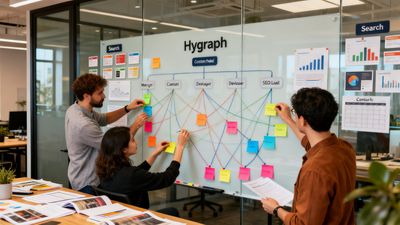
This guide walks through practical, step-by-step LearnWorlds SEO tactics so course creators can find keywords, assemble topic clusters, optimize course pages, and run a repeatable publishing and monitoring workflow. Readers will get actionable checks for site readiness, a clear process for building pillar-and-cluster content, concrete on-page templates (title tags, meta descriptions, schema), and a monitored release schedule that fits small teams.
TL;DR:
-
Start with a short technical audit, connect Google Search Console, and fix indexability before publishing new course content.
-
Build pillar pages for each course, publish 5–10 cluster pages (lessons, FAQs, blog posts) linked to the pillar, and use intent-driven keywords from student questions and module titles.
-
Plan and review publication in a content calendar, use LearnWorlds’ available publishing controls, and monitor impressions and clicks in Search Console before revising underperforming pages.
Step 1: Audit and Prepare Your LearnWorlds Site for SEO
Prerequisites and What You'll Need
-
Admin access to edit page metadata. If adding custom code, first confirm access and the correct page or template slot for your account.
-
Google Search Console (GSC) verified for your site's preferred absolute URL.
-
Your school’s sitemap URL submitted to Search Console and access to inspect its public robots.txt; do not assume a hosted platform gives you direct file-editing access.
-
A simple tracking plan: impressions, clicks, CTR, average position, and Page indexing.
Quick Technical Audit Checklist
-
Index status: Confirm pages you want indexed return 200 and are not tagged noindex.
-
Sitemap presence: Ensure sitemap.xml is accessible and listed in GSC.
-
Robots.txt rules: Verify no blocking of important content or assets.
-
SSL: All pages served over HTTPS with no mixed-content errors.
-
Canonical tags: Each canonical should point to the preferred absolute URL for that content.
-
Mobile friendliness: Check pages on real mobile devices and use PageSpeed Insights for performance diagnostics. Google’s Mobile-Friendly Test and Search Console Mobile Usability report were retired in 2023.
-
Core Web Vitals and page speed: Identify slow templates (image-heavy lessons are common culprits).
If Search Console shows Page indexing issues, use URL inspection to see why a page is excluded. The LearnWorlds support documentation covers platform-specific settings for metadata and indexing; consult How to optimize your site & pages for search engines (LearnWorlds support) for implementation details tied to LearnWorlds controls.
Set Up Tracking and Approvals
-
Add GSC and an analytics property (Google Analytics GA4 is common) before you publish new clusters. That way you capture baseline impressions and clicks.
-
KPIs to track from day one: impressions, clicks, Page indexing errors, and the number of indexed cluster pages. Track conversion actions separately (enrollments, email signups).
Step 2: Discover Course Keywords and Cluster Topics for LearnWorlds
Seed Keywords and Intent Mapping
Start seeds from course titles, lesson names, module headings, and recurring student questions. Define intent for each seed:
-
Informational: “how to learn Python loops” — content should teach.
-
Transactional: “enroll in Python bootcamp” — content should support conversion (pricing, CTA).
-
Navigational: “LearnWorlds login for students” — content is specific to platform tasks.
Collect long-tail and question keywords; these are often the lowest-hanging fruit for course creators.
Use Keyword Opportunity Data (volume + Difficulty)
Combine search volume and keyword difficulty to prioritize targets. Google’s own guidance on keyword research helps validate intent and selection; for broad primer reading, see the SEO starter guide. When evaluating, consider:
-
Low-volume, low-difficulty long tails that match lesson-level queries (fast wins).
-
Medium-volume, medium-difficulty course landing queries that justify pillar pages.
Illustrative mini-calculation (example only): if a site can publish 8 cluster posts per month, prioritize 60% long-tail lesson pages and 40% informational blog posts that feed the pillar. This ratio depends on your audience and capacity.
Group Keywords Into Topic Clusters
A topic cluster groups a central pillar (course landing or topic page) with supporting cluster pages (lesson deep dives, FAQ posts, blog articles). Two approaches work; choose based on audience and resources:
-
Narrow niche clusters: Focus intensely on one subject area (good for specialized courses). This builds deep topical authority quickly but covers fewer search intents.
-
Broad course-topic clusters: Cover several related topics around a course (good for reaching wider awareness). This requires more content but captures more entry points.
For practical examples on adapting hosted course-platform keyword tactics to LearnWorlds, compare methods from the Thinkific optimization playbook.
Step 3: Build Pillar and Cluster Pages on LearnWorlds — Structure and Internal Linking (learnworlds SEO)
Design a Pillar Page for Each Course or Topic
A pillar page should serve as the authoritative hub for a single course or major topic:
-
Purpose: Explain what the course covers, who it’s for, outcomes, curriculum, pricing, and clear CTAs.
-
Structure: H1 as the course title, 3–5 H2s for outcomes, curriculum, instructor, FAQs, and enrollment details.
-
Choose a short, descriptive course slug using the controls available in your school; inspect the resulting public URL rather than assuming a fixed path format.
Include Course schema and a short FAQ section on the pillar (see Step 4 for schema details). Use high-authority external citations on the pillar page when referencing studies or certifications.
Map Cluster Pages: Lessons, Faqs, Blog Posts
Cluster pages are lesson deep dives, specific how-to articles, and student-question posts. Practically:
-
Start with 5–10 cluster articles per pillar. That gives search engines multiple entry points and enough internal linking to signal topical depth.
-
Link from the pillar to each cluster and from cluster pages back to the pillar. This bidirectional linking reinforces topical association.
-
Example cluster types: lesson walkthroughs ("Lesson 3: Data cleaning in Python"), problem-solution posts ("How to clean CSVs for machine learning"), FAQ entries ("Is this course suitable for beginners?").
For layout ideas and anchor strategies, see examples from Podia sites in the examples from Podia sites and use community Q&A as cluster content per community platform SEO tips.
Internal Linking Plan and Anchor Best Practices
-
Use descriptive anchor text that matches user intent, not exact-match spam. Good anchors: "data-cleaning lesson", "course curriculum", "enrollment options".
-
Prefer hub-and-spoke: pillar links to clusters and clusters link back to pillar; add contextual cross-links between related clusters when useful.
The video near the end demonstrates working with blog posts in LearnWorlds; use the written checklist here for topic-cluster planning.
Review the usefulness and discoverability of the cluster over time. A publishing cadence or link pattern does not guarantee rankings or a particular timeline.
Step 4: Optimize On-page SEO for LearnWorlds Pages
Title Tags, Meta Descriptions, and Headings
Title tags and meta descriptions can influence search-result presentation, but Google may choose different text. Keep them clear and action-oriented:
-
Title tag guidance: 50–60 characters (avoid truncation), include primary intent phrase near front.
-
Meta description guidance: 120–155 characters that summarize value and include a CTA when relevant.
Example templates (replace sample values before use): Replace the sample tokens in the following templates with your course name, primary keyword, and value proposition.
Title tag template (replace values):
[Course name] — [Primary outcome] | [Brand name]
Meta description template (replace values):
Learn [skill] with [Course name]. Includes [hours/modules], real projects, and [outcome]. Enroll now.
On-page headings: use H1 for the page title, H2s for major sections, and H3s for subtopics. Keep keyword variations natural in H2/H3s rather than stuffing.
For practical metadata tips tuned to LearnWorlds pages, see guidance for product/lesson descriptions in advice for selling courses on Gumroad and platform-specific recommendations from LearnWorlds’ own blog.
Structured Data and Custom Code
Structured data should describe the content visitors can actually see. Course markup may describe a course, but it does not guarantee a Google rich result. FAQ content can help readers; do not promise extra Google search-result space from FAQPage markup. Google retired FAQ rich results in May 2026, as recorded in its Search documentation updates.
LearnWorlds documents separate page and template custom-code slots, with different logged-in and logged-out contexts. Confirm the correct slot before adding reviewed JSON-LD, inspect the rendered public HTML, and avoid duplicate markup. Its documentation notes that the course player does not receive the built-in-page head slot. See the official custom-code guide. Validate schema syntax, and use Google’s Rich Results Test only for supported result types.
Images, Alt Text, and Media Embeds
-
Alt text: Describe the image and include a keyword naturally if relevant. Example: "Instructor demoing data-cleaning workflow in Python" — concise and descriptive.
-
Image sizing: Use responsive images and compress to reduce load time. Lazy-load non-critical images.
-
Media embeds: Embed YouTube walkthroughs on lesson pages for richer content. Use video schema when embedding primary course videos.
Step 5: Publish, Review, and Monitor Your LearnWorlds SEO Workflow
Use a Content Calendar and Review Publishing Controls
Plan writing, review and publication in a shared calendar. LearnWorlds’ documented blog manager supports editing, previewing and controlling post visibility; use those controls for a reviewed manual workflow. Confirm any scheduling or external-publishing integration separately before relying on it. See how to manage blog posts.
For examples of release planning and cadence on large course-style sites, see practical notes in publishing workflows for Coursera-style pages.
Review-before-publish and Quality Controls
Before a publish event, check:
-
Metadata: title, meta description, canonical.
-
Structured data: any markup matches visible content and passes the relevant syntax checks.
-
Internal links: cluster pages link to the pillar and vice versa.
-
External citations: cornerstone articles should cite high-authority sources.
Track Performance and Iterate
Use GSC analytics to monitor search performance: impressions, clicks, CTR, average position, and Page indexing. Practical monitoring cadence:
-
Weekly: impression trends and index errors for new content.
-
Monthly: SERP positions and clicks segmented by pillar/cluster.
-
Re-optimize underperforming pages 6–12 weeks after publish — update content, add internal links, adjust metadata, or consolidate duplicates.
When re-optimizing, prioritize pages with the highest impressions but low CTR, or pages with improving average position but no traffic.
Step 6: Common Mistakes and Troubleshooting for LearnWorlds SEO
Top 7 Mistakes Course Creators Make
-
Weak intent alignment — publishing lesson content that doesn't match what searchers ask for.
-
Orphaned cluster pages — helpful lesson posts with no links from pillar pages.
-
Inaccurate structured data — markup should match visible content; unsupported markup is not a reason to expect a rich result.
-
Slow images — unoptimized lesson images that hurt Core Web Vitals.
-
Duplicate or thin lesson pages — similar lesson blurbs across modules without unique value.
-
Poor anchor phrasing — vague anchors like "click here" instead of descriptive anchors.
-
No monitoring plan — publishing without measuring impressions/clicks in GSC.
Quick Fixes and Diagnostics
-
Weak intent: Review Search Console queries and recurring student questions to understand the language your audience uses. Rewrite content to match intent.
-
Structured data: review existing markup before adding anything; use an appropriate validator and check current search-feature eligibility.
-
Slow images: Compress images, serve WebP where supported, and lazy-load non-critical assets.
-
Duplicate content: Consolidate similar lesson pages into a single canonical page or rewrite to make each lesson unique.
If a page isn’t indexed, check Page indexing in GSC, inspect the URL, confirm it’s not blocked by robots, and verify there’s no noindex tag or incorrect canonical pointing elsewhere.
When to Escalate to a Deeper Audit
Escalate when:
-
Multiple top pages drop in traffic or impressions simultaneously.
-
GSC shows large-scale Page indexing issues.
-
Crawl budget concerns arise for very large academies with thousands of pages.
For local-intent or enrollment queries that aren’t converting, consult examples in local education SEO examples to triage intent mismatches and on-page signals.
The Bottom Line
LearnWorlds SEO is a process: prepare the site, target intent-specific keywords, build pillar-and-cluster structures, optimize metadata and schema, then publish on a schedule and measure results.
Video: LearnWorlds Blog Tutorial (how to Setup and Create Blog Posts)
For a visual walkthrough of these concepts, check out this helpful video:
Frequently Asked Questions
How long before I see search traffic improvements?
There is no universal timeline; it depends on baseline visibility, competition, and publishing volume. Many sites see measurable changes in impressions within 4–8 weeks as Google indexes new cluster pages, with clearer ranking improvements often appearing in 3–6 months of consistent publishing. These are illustrative ranges and results vary by niche, market, and content quality.
Why aren't my course pages indexed?
Common causes include a noindex tag, robots.txt blocking, incorrect canonical tags, or sitemap issues. Start with the URL Inspection tool in Google Search Console to see the specific reason GSC reports. If the page is intended to be public and indexable, review its visibility and indexing settings or contact LearnWorlds support. Keep private course material private; do not remove access protections to attract search traffic. If a canonical points elsewhere, correct it so the page points to its preferred URL.
How should I handle duplicate lesson content?
Audit similar pages and consolidate when multiple pages target the same query with thin content. Either merge duplicate lessons into a single comprehensive page and 301-redirect extras, or rewrite pages so each has a unique angle and additional value (examples, datasets, student work). Use canonical tags only when pages are true duplicates; do not canonicalize variants that serve distinct user needs.
When should I prioritize paid acquisition over SEO?
Paid acquisition is appropriate when you need immediate enrollments or validated demand while SEO builds organic visibility. Use paid channels to test course messaging and conversion funnels, then invest in SEO once you have validated product-market fit. For long-term cost efficiency, balance short-term paid campaigns with a steady SEO publishing pipeline.